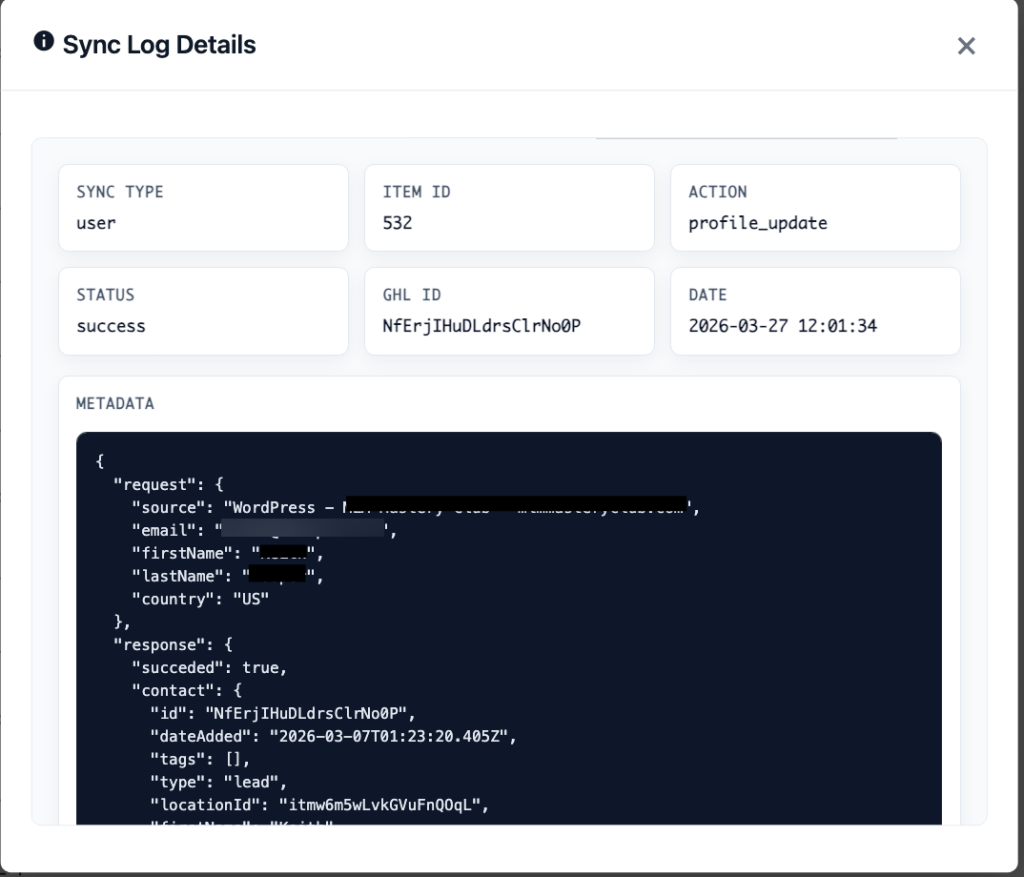
Viewing Sync Logs #
Navigate to GHL CRM → Sync Logs to see a searchable log of all sync operations.
Log Information #
- Status — Success, Failed, or Pending.
- Timestamp — When the sync occurred.
- Type — The kind of sync (user, contact, order, etc.).
- Details — Summary of what was synced.
Enhanced Logs (Pro) #
The Pro add-on adds a “View Details” button that opens a modal with the full formatted JSON payload, making it easy to debug field mapping issues.
Security #
All sensitive data (tokens, secrets, authorization headers) is automatically redacted from logged payloads.
Common Issues #
- “Contact not found” — The GHL contact was deleted or merged. The plugin will auto-recover by re-looking up by email.
- “Rate limit exceeded” — Too many API calls. The queue automatically throttles and retries.
- “Connection lost” — OAuth token expired and failed to refresh. Try disconnecting and reconnecting.